USB Blocking Software: How to Prevent Unauthorized File Transfers
USB drives make it easy to move files from one computer to another. That can be useful at work, but it can also create a security risk when USB access is left completely open.
An employee could copy customer records, business documents, financial files, source code, or other sensitive information to a personal USB drive. The transfer could happen intentionally, or the employee might simply be moving files to work from another computer. In either case, IT may have little control over the data once it leaves the company device.
USB drives can create another problem as well. Files can move in both directions. A USB device connected to a work computer could contain unsafe files or malware.
This is where USB blocking software can help. It gives IT teams more control over removable storage and can prevent users from moving files through unauthorized USB devices.
The important part is choosing the right level of restriction. A business may not need to disable every USB port. In many cases, it only needs to prevent access to removable storage.
What Is USB Blocking Software?
USB blocking software is used to control how USB and removable devices can be used on company computers.
Depending on the software and policy, IT teams may be able to block a removable storage device completely or control what users can do with it.
For example, Windows supports policies that can deny read access, deny write access, or deny all access to removable storage. This allows organizations to choose a restriction that fits their security requirements instead of treating every USB connection in exactly the same way.
A USB blocking tool is especially useful when a company manages many computers. Instead of changing settings manually on every device, IT can apply restrictions through a central management system.
This helps make sure the same security rules are followed across managed devices.
Why Can Unrestricted USB Access Be a Problem?
A USB flash drive can hold a large amount of data and can be carried almost anywhere. This makes it a simple way to move information outside the company.
Imagine that an employee has access to a folder containing customer information. If removable storage is unrestricted, that employee could connect a personal USB drive and copy the folder.
Once those files are on a personal device, the company may no longer know where they are stored, who has access to them, or whether the drive is properly protected.
This is one of the reasons businesses use device controls to prevent unauthorized file transfers. Device-control products commonly provide options to block removable storage, limit file transfers, or allow only approved devices.
There is also the risk of files coming into the company network. An unknown USB drive may contain malicious or unwanted files. Limiting removable-storage access reduces one route through which those files can reach a managed computer.
USB Port Blocking and Removable Storage Blocking Are Not the Same
It is easy to assume that USB blocking means completely turning off a USB port. That is not always the case.
A USB port can be used for many different devices. Employees may connect a keyboard, mouse, headset, printer, scanner, camera, or other hardware through USB.
If a company completely disables USB access, some of those devices may stop working. That can create unnecessary problems for employees.
Restricting removable storage is more specific.
Instead of blocking everything connected through USB, the policy can focus on devices used for storing and moving files, such as USB flash drives and external storage.
Microsoft Windows, for example, provides separate policies for different removable-storage classes and can control read, write, or full access.
For many businesses, this gives IT a better balance between security and normal device use.
How USB Blocking Helps Prevent Unauthorized File Transfers
The main purpose of a USB blocking tool is to control how data moves through removable devices.
If users cannot access unauthorized removable storage, it becomes harder to copy company files to personal drives.
Some device-control systems go further. They may allow an organization to give a USB drive read-only access, allow approved devices, block unknown devices, or control which files can be transferred. These options are examples of more detailed USB controls available in some enterprise products.
This matters because every employee may not need the same level of access.
A finance employee handling confidential records may have different USB requirements from an employee who regularly uses approved external storage as part of their work.
The goal should be to apply the level of control that matches the job and the risk.
Main Security Benefits of USB Blocking Software
Using USB blocking software can help organizations reduce several common endpoint security risks.
It can reduce data leakage by making it harder to copy sensitive files to personal removable storage.
It can also reduce unauthorized copying. An employee may have permission to view a company document on a work computer, but that does not automatically mean the file should be copied to a personal drive.
USB restrictions can also reduce exposure to files coming from unknown removable devices. If employees cannot freely connect unapproved storage, there are fewer opportunities for unwanted files to enter managed systems.
Centralized policies also make USB rules easier to manage. IT can apply the same restriction across selected devices instead of relying on employees to configure settings themselves.
Where Do Businesses Use USB Restrictions?
USB controls can be useful in many types of workplaces.
An office may restrict removable storage on computers that contain customer or financial information. A healthcare organization may want tighter control over computers that handle sensitive records. Retail businesses may restrict removable storage on POS or dedicated workstations where users have no business reason to transfer files.
Shared computers are another common example. If several employees use the same device, allowing everyone to connect personal USB drives can make data and device security harder to manage.
Remote company laptops can also benefit from centrally managed restrictions because the device may be used outside the office while still holding company information.
The exact policy should depend on what the device is used for and what information it can access.
Why Centralized USB Management Makes Sense
Changing USB settings on individual computers may be possible for a very small business. It becomes difficult when IT is responsible for many devices.
The problem becomes even greater when employees work from different offices or from home.
Centralized device management allows IT teams to create a policy once and apply it to managed endpoints.
If the business changes its USB policy later, administrators can update the configuration centrally instead of working on every computer separately.
This also helps reduce differences between devices. Without centralized management, one computer might have removable storage blocked while another similar computer remains unrestricted.
How to Block Removable Storage with VantageMDM
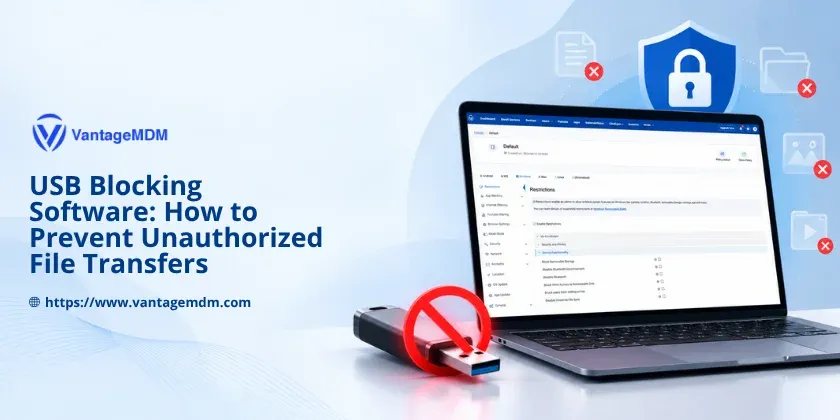
VantageMDM can be used to centrally configure restrictions on managed Windows devices.
Instead of manually changing USB settings on each computer, an IT administrator can configure the restriction through a Windows policy.
To restrict removable storage:
- In the VantageMDM console, create a new policy or select an existing one.
- Go to Policies ? Windows ? Restrictions ? Device Functionality.
- Enable Block Removable Storage to restrict users from accessing removable storage devices.
This keeps the policy focused on removable storage instead of automatically treating every USB-connected peripheral as something that needs to be blocked.
It also gives IT teams a central place to manage the setting for company-controlled Windows devices.
Should Every USB Device Be Blocked?
Not necessarily.
A very strict USB policy can improve control, but it can also interfere with normal work if employees depend on USB-connected equipment.
Before blocking removable storage, IT teams should understand how employees actually use their devices.
For example, some departments may never need external storage. Blocking removable storage on those computers may have little effect on their daily work.
Other teams may regularly use approved external drives. Completely removing that access could slow down their work or force them to find other ways to move files.
This is why USB restrictions should be based on business requirements rather than applying the strongest possible setting everywhere.
USB Blocking Is One Part of Data Protection
USB restrictions can reduce one common way that files move in and out of company computers, but they should not be treated as a complete data-security solution.
Organizations still need proper user permissions, secure accounts, software updates, device management, encryption where appropriate, and clear rules about how company information should be handled.
USB blocking works best as one part of these wider security controls.
It removes or limits an unnecessary path for file transfers while still allowing IT teams to keep the devices employees actually need.
Final Thoughts
USB devices are useful, but unrestricted access can make it easier for company information to leave managed computers without proper control.
USB blocking software helps IT teams reduce this risk by controlling access to removable storage and preventing unwanted file transfers. It can also reduce exposure to unknown USB storage devices and help businesses apply the same rules across their managed endpoints.
The best approach is not always to disable every USB port.
Businesses should first understand how employees use USB devices and then apply restrictions where they are needed. With VantageMDM, IT teams can centrally block removable storage on managed Windows devices while leaving room for other USB peripherals that employees may still need.
A focused USB policy can protect company data without making everyday work more difficult than it needs to be.