How Lockdown App Improve Productivity on Shared Devices
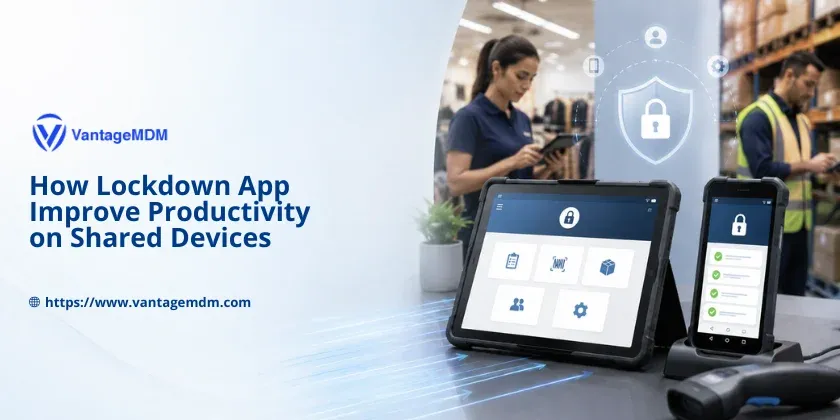
Shared mobile devices have become a normal part of daily business operations. From retail stores and hospitals to warehouses and delivery fleets, organisations rely on tablets and smartphones to complete important tasks throughout the day. These devices often pass from one employee to another during different shifts, making them practical and cost-effective.
However, sharing devices also creates challenges. Without proper controls, employees may accidentally access unnecessary apps, change important settings, browse unrelated websites, or install software that slows down the device. Over time, these small issues add up, leading to lower productivity, increased IT support requests, and inconsistent workflows.
This is where a lockdown app makes a real difference. By limiting devices to approved business applications and restricting unnecessary features, businesses can create a focused work environment where employees have access only to the tools they need. The result is greater efficiency, better security, and smoother operations across every shift.
Why Shared Business Devices Become Difficult to Manage
Sharing devices sounds simple in theory, but managing them can quickly become complicated.
A tablet used during the morning shift may be handed to another employee in the afternoon. If the previous user changed settings, left multiple apps running, signed into personal accounts, or downloaded unrelated applications, the next employee starts their work with unnecessary delays.
Some of the most common challenges include:
- Employees using social media or entertainment apps during work hours
- Unauthorised web browsing
- Changes to device settings
- Installation of unapproved applications
- Accidental deletion of business apps
- Exposure of sensitive company or customer information
- Devices requiring frequent troubleshooting before the next shift
Each of these problems affects productivity. Instead of focusing on customers or operational tasks, employees spend valuable time fixing device issues or waiting for IT support.
What Is a Lockdown App?
A lockdown app allows businesses to control exactly how a mobile device is used. Instead of providing unrestricted access to the entire operating system, the device is limited to approved business applications and essential functions. Businesses can also use Android Kiosk Mode to limit shared devices to selected apps and keep employees focused on work tasks. For that they will require Kiosk software.
For example, a retail employee may only need:
- Billing software
- Inventory management
- Barcode scanner
- Customer lookup application
There is no need for access to social media, gaming apps, personal email, or unnecessary system settings.
This focused approach keeps every device ready for work while reducing opportunities for misuse.
How a Lockdown App Improves Productivity
Eliminates Workplace Distractions
Distractions can reduce employee efficiency more than many organisations realise.
When unrestricted devices are available, employees may be tempted to check social media, browse websites, or use personal applications during working hours. Even short interruptions can affect concentration and slow task completion.
A lockdown app removes these distractions by allowing access only to approved work applications. Employees remain focused on the tasks that matter, whether they are processing customer payments, completing inspections, or updating delivery information.
The result is a more productive workplace with fewer interruptions.
Makes Shift Handovers Faster
Many businesses operate around the clock.
Retail stores, hospitals, warehouses, and logistics companies often run multiple shifts every day. Shared devices need to be ready for the next employee without requiring manual setup.
Without proper management, shift changes often involve:
- Closing unnecessary apps
- Removing personal accounts
- Correcting changed settings
- Restarting frozen devices
- Finding missing business applications
A lockdown app ensures every device remains in the same approved configuration throughout the day. Employees can pick up the device and begin working immediately.
Those few saved minutes during every shift quickly become hours of improved productivity over the course of a month.
Reduces IT Support Requests
IT teams spend significant time solving problems that could easily be prevented.
Many support requests involve issues such as:
- Accidentally deleted applications
- Modified device settings
- Installed third-party software
- Browser configuration problems
- Device misuse
By preventing unauthorised changes, a lockdown app dramatically reduces these common issues.
Instead of constantly repairing devices, IT teams can focus on larger projects that improve the organisation.
Keeps the Interface Simple
Employees work faster when technology feels simple.
A cluttered device filled with unnecessary applications creates confusion, especially for temporary staff or frontline workers who need to complete tasks quickly.
A lockdown app presents a clean interface that includes only approved business tools.
Employees spend less time searching for the correct application and more time completing their responsibilities.
Simple interfaces also reduce training time for new employees.
Prevents Unwanted App Installations
Installing random applications can create several problems.
They consume storage, reduce performance, introduce security risks, and sometimes conflict with business software.
A lockdown app prevents users from installing unauthorised applications, ensuring every device remains consistent and reliable. A kiosk browser lockdown solution is useful when businesses want employees to access only approved websites or web apps.
This keeps devices performing well over long periods while reducing maintenance costs.
Protects Sensitive Business Information
Shared devices often handle valuable company data.
Customer records, patient information, inventory details, inspection reports, delivery schedules, and financial transactions all require protection.
Restricting device access reduces the chances of accidental data exposure.
Employees only access information required for their responsibilities, helping organisations maintain stronger security practices while supporting compliance requirements.
Real-World Use Cases
Retail
Retail associates use shared tablets for:
- Billing
- Product lookup
- Stock management
- Customer assistance
A lockdown app prevents employees from accessing unrelated applications while ensuring point-of-sale systems remain available throughout every shift.
Warehouses
Warehouse teams rely on shared Android devices to:
- Scan barcodes
- Track inventory
- Process shipments
- Update stock levels
Restricting devices to warehouse applications helps workers complete tasks quickly without unnecessary distractions.
Logistics and Delivery
Drivers and dispatch teams often share rugged mobile devices.
These devices support:
- Route navigation
- Delivery confirmation
- Signature collection
- Shipment tracking
A lockdown app ensures drivers only access approved delivery tools, improving efficiency throughout the day.
Healthcare
Hospitals and clinics frequently share tablets between nurses, doctors, and support staff.
These devices may be used for:
- Patient records
- Medication administration
- Appointment management
- Clinical documentation
Restricting unnecessary applications helps maintain patient privacy while allowing healthcare professionals to work more efficiently.
Education
Schools and training centres often provide shared tablets for classroom activities.
A lockdown app ensures students and staff only access approved educational resources, preventing distractions from games or entertainment apps.
Teachers spend less time managing devices and more time supporting learning.
Field Service Teams
Technicians working in the field depend on mobile devices for:
- Service tickets
- Equipment inspections
- Customer signatures
- Maintenance reports
A locked-down device keeps every tool immediately available while preventing accidental changes that could interrupt field operations.
Frontline Operations
Many frontline workers use shared mobile devices for:
- Attendance tracking
- Quality inspections
- Incident reporting
- Compliance checklists
Restricting access to business applications helps employees complete tasks accurately without unnecessary delays.
Why Businesses Choose VantageMDM
Managing dozens or even thousands of shared devices manually is difficult.
VantageMDM simplifies device management by allowing organisations to configure, monitor, and secure their Android devices from a central location.
With VantageMDM, businesses can:
- Lock devices to approved business applications
- Enable kiosk mode for focused workflows
- Prevent unauthorised app installations
- Restrict access to system settings
- Apply policies remotely
- Monitor devices from a central dashboard
- Update configurations without collecting every device
Instead of worrying about device misuse, organisations can concentrate on improving operations and supporting employees.VantageMDM also helps businesses lock down Android tablets for business, making shared devices more secure and task-ready.
Building Task-Ready Devices for Every Employee
Shared devices should help employees work faster, not create additional obstacles.
A lockdown app creates a controlled environment where workers can immediately access the applications they need while avoiding unnecessary distractions. Devices remain consistent across shifts, security improves, and IT teams spend less time solving preventable problems.
Whether your organisation operates in retail, healthcare, logistics, education, warehousing, or field services, managing shared devices effectively can have a direct impact on daily productivity.
By combining app lockdown, kiosk mode, remote management, and centralised policy control, VantageMDM helps businesses transform ordinary Android devices into secure, reliable, and task-ready work tools that support efficient operations every single day.