Manage Multiple Android Devices Without Overwhelming Yourself
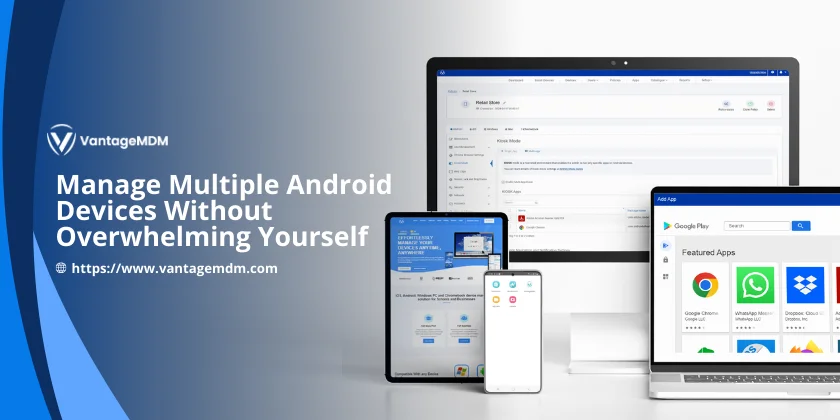
If you are managing Android devices for a company, school, retail shop, or remote team, you already know how quickly things can become difficult. One device is simple. Ten require planning. Fifty or more demand a structured system.
The solution is not more manual work. The solution is proper android device management. When done correctly, you can manage multiple Android devices without stress, confusion, or constant troubleshooting.
This guide explains what is Android device management, how it works, and how to control multiple Android devices in a practical way.
What Is Android Device Management?
Let us begin with a clear explanation.
What is Android device management?
It is the process of controlling, securing, monitoring, and updating Android devices from a central platform. Instead of configuring each phone or tablet individually, you use software that allows remote management.
This is often referred to as device management Android systems or MDM solutions. Through these platforms, you can:
- Install or remove applications
- Enforce password policies
- Lock or wipe lost devices
- Monitor compliance
- Push updates remotely
- Restrict access to settings
In short, android device management replaces manual work with central control.
Why Managing Android Devices Becomes Overwhelming
Without a system in place, daily issues quickly multiply:
- Different app versions on different devices
- Users installing unapproved apps
- Forgotten passwords
- Security gaps
- Manual updates taking hours
When you try to handle everything individually, time disappears. This is why structured multiple device management is essential.
With the right platform, you can manage Android devices from a single dashboard and apply changes across your entire device fleet at once.
Choosing the Right Android MDM Solutions
If you want proper control, you need reliable android mdm solutions. These platforms are designed specifically for large-scale device oversight.
For example, you can explore trusted android mdm solutions that compare features such as remote control, app deployment, security enforcement, and reporting tools.
When selecting a solution, look for:
- Centralised management dashboard
- Remote troubleshooting capabilities
- Role-based device grouping
- Automated enrollment
- Strong security controls
A well-designed system makes managing Android devices structured rather than reactive.
How Android Enterprise Supports Device Management
Google’s Android Enterprise framework strengthens android manage device strategies. It allows businesses to manage devices in different ways depending on ownership and use case.
There are three common setups:
1. Work Profile
Separates work apps from personal apps on employee-owned devices.
2. Fully Managed Devices
Gives complete control over company-owned devices.
3. Dedicated Devices
Locks devices into a specific purpose, often used in retail, hospitality, or logistics.
These options support effective multiple device management while maintaining data security.
Using Android Kiosk Mode for Better Control
One of the most powerful tools in android device management is kiosk mode.
With proper android kiosk mode software, you can lock a device into a single application or a limited set of approved apps. This prevents misuse and keeps devices focused on their intended purpose.
Kiosk mode Android is ideal for:
- Retail POS systems
- Restaurant ordering tablets
- School testing devices
- Visitor check-in kiosks
- Warehouse scanning devices
When you use kiosk mode Android, you reduce distractions and increase security. This makes it much easier to control multiple Android devices across different locations.
How to Lock Apps on Android for Better Security
Sometimes you do not need full kiosk mode. You may only want to restrict access to certain apps.
In that case, understanding how to lock apps on Android becomes useful. App locking prevents users from accessing sensitive applications without permission.
For example:
- Prevent access to system settings
- Lock financial applications
- Restrict internal communication apps
- Block changes to configuration tools
This approach strengthens device management Android policies without limiting overall usability.
Understanding Android Fastboot in Device Management
When managing many devices, technical issues sometimes arise. One important concept administrators should understand is android fastboot.
Android fastboot mode allows deeper system-level operations, including flashing firmware or performing advanced troubleshooting. While it is mainly used by technical professionals, knowing how it works can help during recovery or device repair situations.
Understanding android fastboot helps IT teams maintain stability when managing large fleets of devices.
Practical Steps to Manage Multiple Android Devices Efficiently
To reduce stress while managing Android devices, follow these structured steps.
Automate Enrollment
Use zero-touch enrollment where possible. New devices automatically connect to your management system once activated. This saves hours of manual setup.
Group Devices by Role
Create device groups such as:
- Sales team devices
- Delivery staff phones
- Reception tablets
- Warehouse scanners
Apply policies based on group function. This improves multiple device management and keeps policies organised.
Control App Distribution
Use your MDM platform to:
- Approve only required apps
- Block unapproved downloads
- Push updates automatically
- Maintain consistent app versions
This prevents confusion and improves stability across devices.
Enforce Security Policies
Strong security should always be part of android manage device planning. Ensure you:
- Require strong passwords
- Enable encryption
- Activate remote lock and wipe
- Monitor compliance reports
Security becomes proactive instead of reactive.
Monitor and Review Regularly
Check device health reports regularly. Look at:
- Battery status
- Storage capacity
- Software versions
- Compliance alerts
Routine monitoring keeps managing Android devices smooth and predictable.
Common Mistakes to Avoid
Even with the right tools, mistakes can create unnecessary pressure.
Avoid:
- Ignoring update schedules
- Overcomplicating restrictions
- Failing to document policies
- Allowing uncontrolled app installations
Balanced control leads to successful device management Android strategies.
Who Benefits from Android Device Management?
You do not need to be a large enterprise to benefit from android device management.
It is useful for:
- Small businesses
- Schools
- Retail stores
- Logistics companies
- Healthcare clinics
- Field service teams
If you need to manage multiple Android devices, centralised management will always reduce workload.
Final Thoughts
Managing devices should not feel chaotic.
Once you understand what is Android device management, choose reliable android mdm solutions, implement kiosk mode Android, learn how to lock apps on Android, and understand tools like android fastboot, you gain structure and clarity.
With proper systems in place, you can confidently control multiple Android devices while saving time and protecting your organisation.
The goal is simple. Replace manual effort with intelligent systems. When done correctly, managing Android devices becomes organised, secure, and manageable rather than overwhelming.